
One aspect of my job is communicating dates - due date, follow up date, etc. For years I've used the following Keyboard Maestro macro to give me the day/date of the weekday called out by the macro.
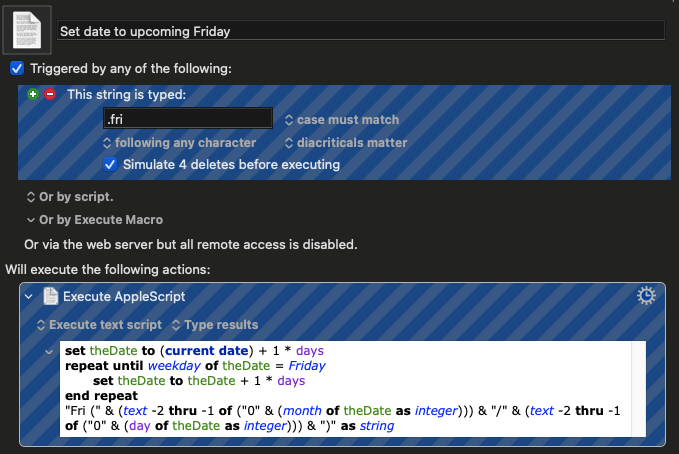
For example, typing .mon will trigger a Keyboard Maestro macro to type in the short name of the weekday and the date in parenthesis for the date of the next coming Monday - Mon (12/22).
On a current project, we're in a longer design phase and this meant I needed to start dealing with dates further out - 2 weeks or more. For about a week I thought the change to my script in the macro was working perfectly.
set theDate to (current date) + 8 * days

repeat until weekday of theDate = Monday

    set theDate to theDate + 1 * days

end repeat

"Mon (" & (text -2 thru -1 of ("0" & (month of theDate as integer))) & "/" & (text -2 thru -1 of ("0" & (day of theDate as integer))) & ")" as string
This would give me 2 weeks out from today - Mon (12/29) - like I wanted. Then I started looking at the tedious work I would have to do to replicate the "2 week" macros for dates 3 weeks out and dates 4 weeks out. I decided I needed to look at a single macro that would dynamically generate the short name of the day of the week based on the day of the week the macro is run.
Breaking down the parts
The new macro would need an AppleScript to do two parts:
- Identify the date value 14 days from today.
- Dynamically generate the short name of the day of the week.
The first part of the macro I wanted was pretty easy - I changed my script from adding 8 * days to adding 15 * days. 1
The harder part was getting the script to stop requiring a hard code for the short name of the day. Getting the short name of the day of the week is easy to in other programming languages, but AppleScript does what AppleScript does... it makes it an educational experience.
I tried a few different ways to get to a short name, but eventually gave in and did a quick search on a great reference site -MacScripter.com. One quick search and I found exactly what I needed - Localised weekday?. This gave a simple breakdown on how to shorten the name of the day of the week:3
set shortDayName to (text items 1 thru 3 of ((current_date) as text)) as text
Piecing it all together
The script hasn't changed much from the version I originally started to work with, but the small alterations have made it much easier to manage.
set current_date to (current date) + 8 * days

repeat until weekday of current_date = weekday of (current date)

    set current_date to current_date + 1 * days

end repeat

-- credit: https://www.macscripter.net/t/localised-weekday/64388

set shortDayName to (text items 1 thru 3 of ((current_date) as text)) as text

--

(("" & shortDayName & " (" & (month of current_date as integer) as string) & "/" & (day of current_date as integer) as string) & ")" as string
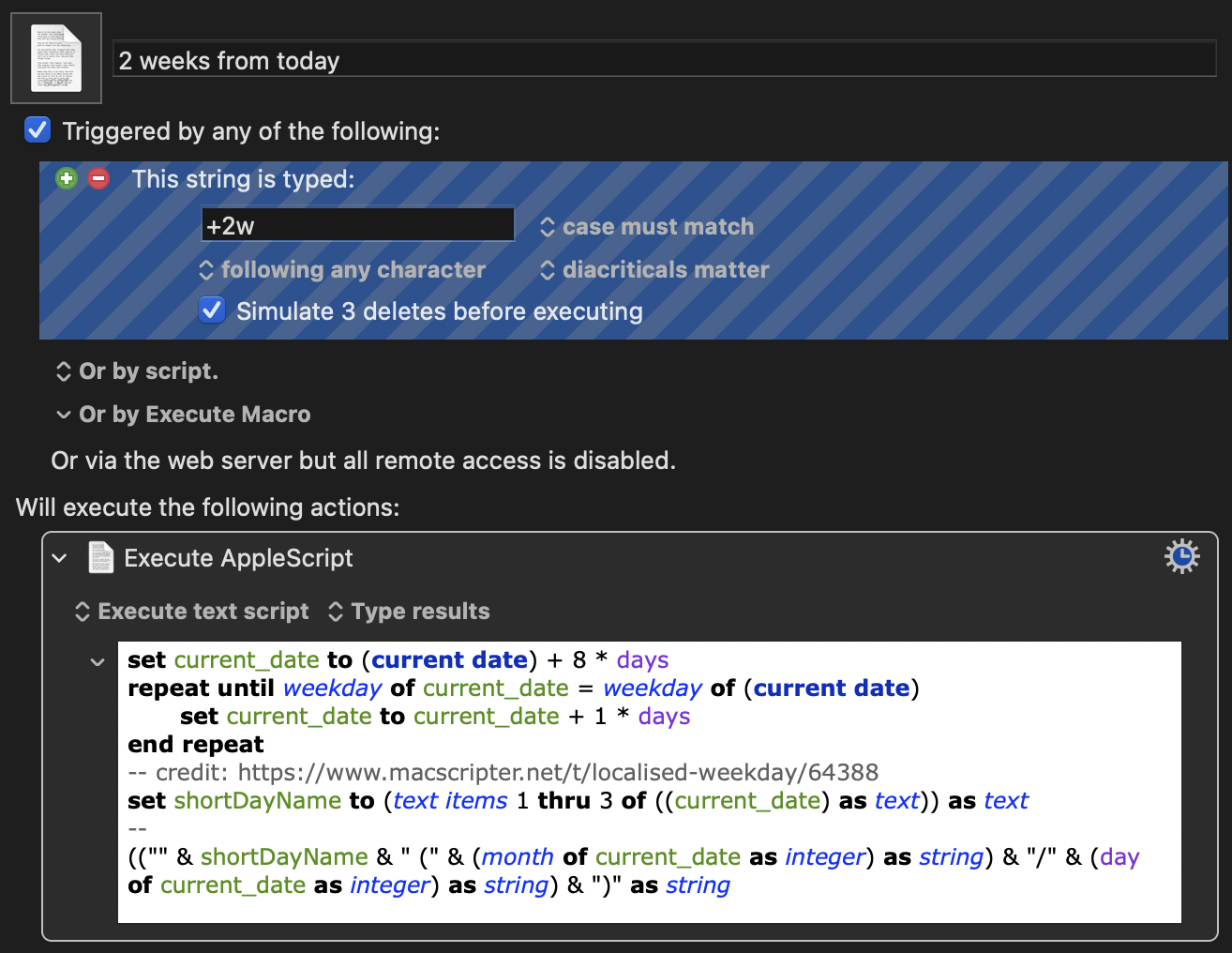
Now when I type +2w anywhere on my Mac, I will get day of the week and the date two weeks from now. I replicated the macro for +3w and +4w as well. 2
-
You need to add
* daysto the day addition, otherwise you're adding the number of seconds to a date value. ↩ -
My wife loved my analogy to her stenography keyboard when I explained what I was working over the weekend. ↩
-
My original plan involved a bunch of
if / elseloops to review each day of the week. Functional, but not elegant. ↩