
Migrating Keyboard Maestro to Windows
Just after the New Year I started a new job. The new role has brought about a lot of good changes, with the caveat that I needed to move back to Windows. I've been fortunate to have been able to use a Mac, both personally and professionally, for the better part of 15 years.1 Switching back to Windows cold turkey has been a struggle.
The biggest struggle has been losing my keyboard shortcuts that have become muscle memory for me. For a long time I've used Keyboard Maestro for a number of macros for text replacement. The hardest ones to lose were the date keyboard shortcuts I had for entering a day/date text based on the upcoming day of the week.
For example, I could type .ds and Keyboard Maestro would trigger a text substitution and enter an ISO date like 2026-02-25. I had a series of date shortcuts that would also enter a day/date format for future dates. This included going out another week based on today's current date. For example, if today is Wednesday - Feb 25, I could type a short cut of .tue and a KM macro would replace the text .tue and type in a date of Tue (03/03).
A common example I would use this text replacement would be in an email with a future follow up date:
Hey - Thanks for the update. Can you please get the updated budget number back to me by 3pm on
.tue. Thanks.
When typing up the email, by hitting the macro short cut .tue, I would automatically get the day/date of the next upcoming Tue. This would free up my flow from having to look at a calendar or do the mental math to figure out the date for next Tue.
I had nine common date macros:
| Shortcut | Action | Example |
|---|---|---|
.td |
Give today's date | Wed (2/25) |
.ds |
Give today's date (ISO) | 2026-02-25 |
.mon |
Give the date of next upcoming Mon | Mon (03/02) |
.tue |
Give the date of next upcoming Tue | Tue (03/03) |
.wed |
Give the date of next upcoming Wed | Wed (03/04) |
.thu |
Give the date of next upcoming Thu | Thu (02/26) |
.fri |
Give the date of next upcoming Fri | Fri (02/27) |
.sat |
Give the date of next upcoming Sat | Sat (02/28) |
.sun |
Give the date of next upcoming Sun | Sun (03/01) |
Note: Mon, Tue, Wed are for next week and Thu, Fri, Sat, Sun are for the dates in the next 1-4 days.
Hello old friend
A while back I used Text Expander for replicating my Keyboard Maestro macros on my iPhone and Mac. After Apple's sandboxing changes in iOS and Text Expander's move to a subscription model , I moved most of my text snippets over to Keyboard Maestro. Now that I'm back in the land of Oz, I started to look at options that could replicate my Mac KM macros.
I did quite a bit of research and testing over the weekend and finally settled back on Text Expander again. The two reasons main reasons that made Text Expander stand out over other options is:
- I can use Javascript in Text Expander snippets. This means some of the actions I have in Drafts could be migrated over to Text Expander.
- Text Expander has a web UI to manage snippets, which means I can review/modify my snippets on any computer I'm working at.
The only negative is the subscription model, which triggered me to move away from Text Expander in the first place. After 4 weeks of no date shortcuts, I could put a price tag on my sanity to get them back. $40/year ended up being a bargain to have my date mojo back.
Example of .fri macro
The first thing I did after downloading Text Expander to my work laptop was look at the date/time options the app now has available. There was a public snippet folder I could grab that did some of the basic date functions. For example, typing in 'd-4 would give me a date of 02/21/2026.
Yep... a pretty generic date function.
After some poking around I found some community shared snippets that used Javascript to create their text expansions. Now this was getting exciting.2 When I reviewed a couple of the snippets I realized that I could create the snippets and port them over to Drafts or port a few of my actions from Drafts into Text Expander.
The first text expansion snippet I wanted to get working on was my .day snippets. These shortcuts are so engrained in my typing that last week I sent a quick note to a new coworker that contained two dates and the email read "... should work for either .thu or .fri." 3 This was the trigger event to make me start looking for a text expansion tool for work.
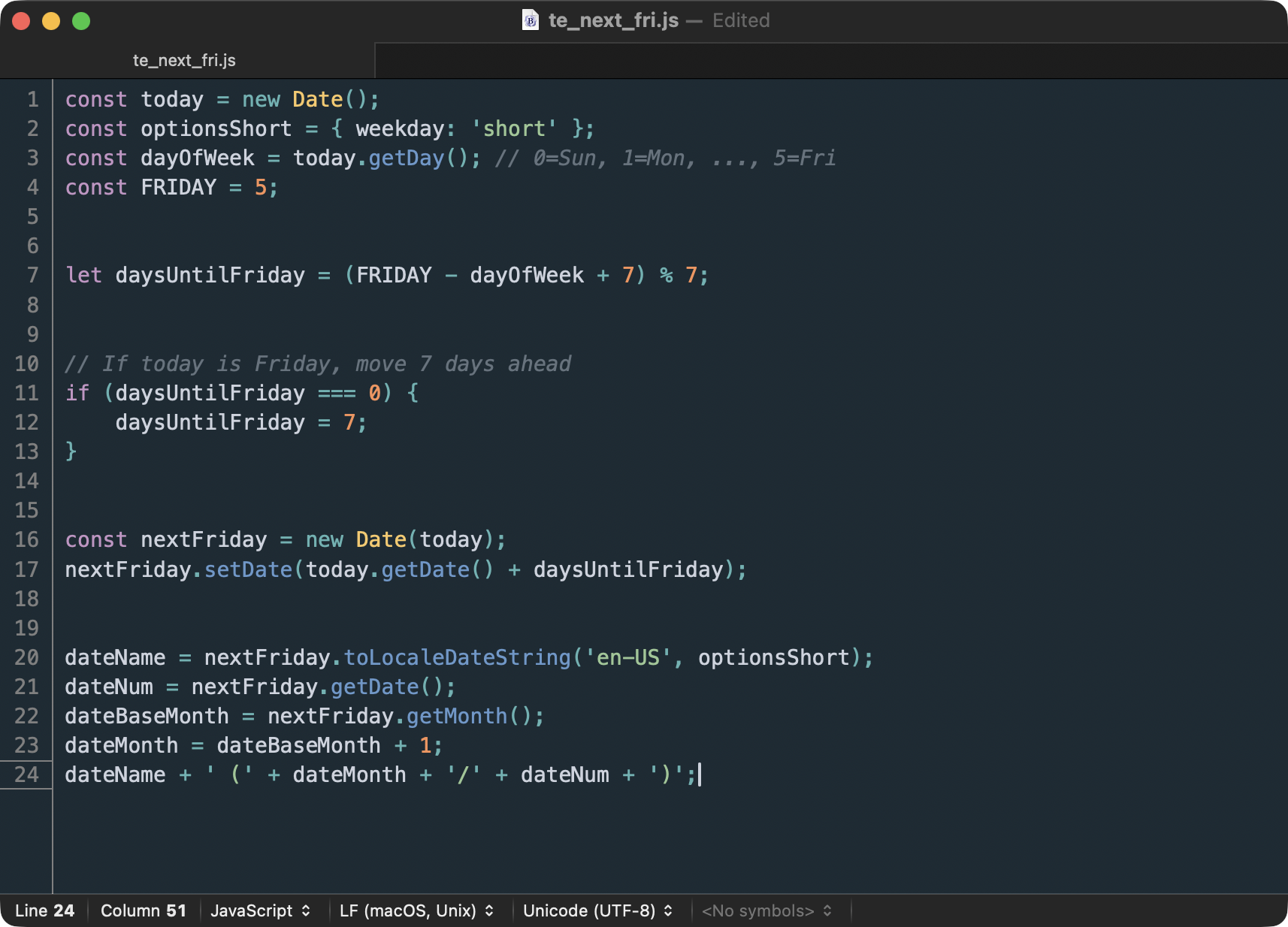
const today = new Date();

const optionsShort = { weekday: 'short' };

const dayOfWeek = today.getDay(); // 0=Sun, 1=Mon, ..., 5=Fri

const FRIDAY = 5;


let daysUntilFriday = (FRIDAY - dayOfWeek + 7) % 7;


// If today is Friday, move 7 days ahead

if (daysUntilFriday === 0) {

    daysUntilFriday = 7;

}


const nextFriday = new Date(today);

nextFriday.setDate(today.getDate() + daysUntilFriday);


dateName = nextFriday.toLocaleDateString('en-US', optionsShort);

dateNum = nextFriday.getDate();

dateBaseMonth = nextFriday.getMonth();

dateMonth = dateBaseMonth + 1;

dateName + ' (' + dateMonth + '/' + dateNum + ')';
So now when I type .fri on my work laptop I will get the expected day/date of Fri (02/27)
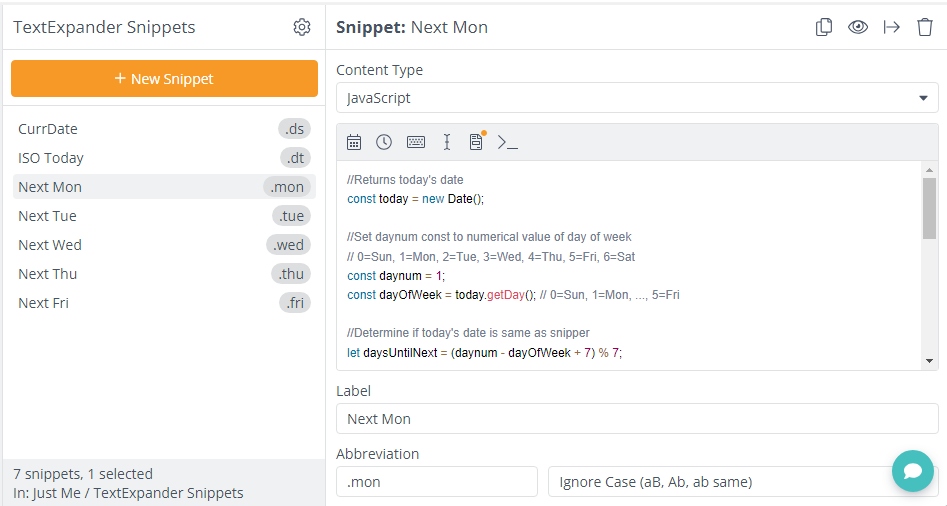
Snippet Library
After about 15-20 minutes of copy/paste of the previous snippet, I was able to get my main date shortcuts back on my work laptop.
I don't plan on installing Text Expander on my personal Mac so I don't have duplicate/conflicting shortcuts between work and home. But the ability to minimize the disruption in my writing workflow has taken a little bit of pressure off my new job.
Previous posts:
-
macOS won't let me format my own drive
I needed to "fix" macOS to allow me to format an external drive for my music library.
-
Input future dates with Keyboard Maestro
One aspect of my job is communicating dates - due date, follow up date, etc. For years I've used the following Keyboard Maestro macro to give me the day/date of the weekday called out by the macro.
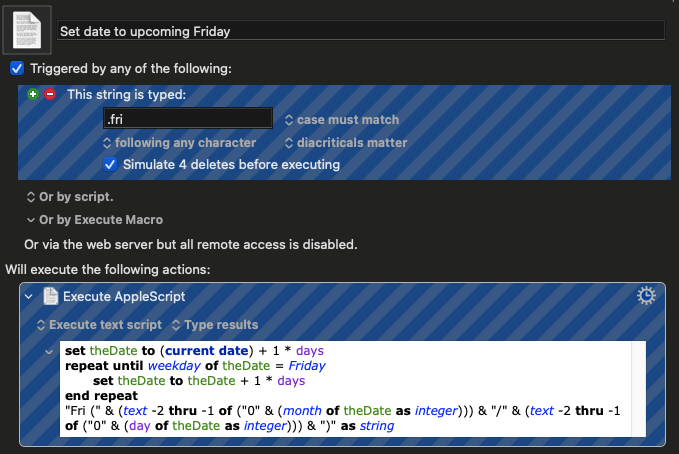
For example, typing
.monwill trigger a Keyboard Maestro macro to type in … -
Getting OmniFocus Task to physical paper
Call me old school, but there are times I prefer paper over digital. I found I have a disconnect from being able to collect notes or ideas to capturing action items in a meeting, and then religiously getting these items documented into a digital format. This led me to start …
-
Replicate ISO Date from macOS in Drafts
Summer is here1 and I'm starting to work in odder locations - some by choice and some due to my work schedule. Normally I work from a Mac, but my travel schedule has led me back to my iPad to get my work done. I love the portability of my …
-
New Microsoft Windows App for macOS
Microsoft announced a new Windows App yesterday. This kind of announcement normally doesn't send shock waves in the Apple community until you get an explanation on what the app really is.
Windows App is your gateway to Azure Virtual Desktop, Windows 365, Microsoft Dev Box, Remote Desktop Services, and remote …