
A few weeks ago I noticed some noise coming from my external hard drive I have attached to my Mac that I use for storing my music, movies and TV shows. I have backups of the drive, but the main drive I used for holding the media didn't sound good. I purchased a new NVMe external hard drive to move my media files over to.1 I closed Music and TV apps, renamed my old drive and gave my new drive the same name. The idea was the media was going to be put back in the same "place" so the Music app wouldn't know I did a little switcheroo.
My Mac didn't fall for it...
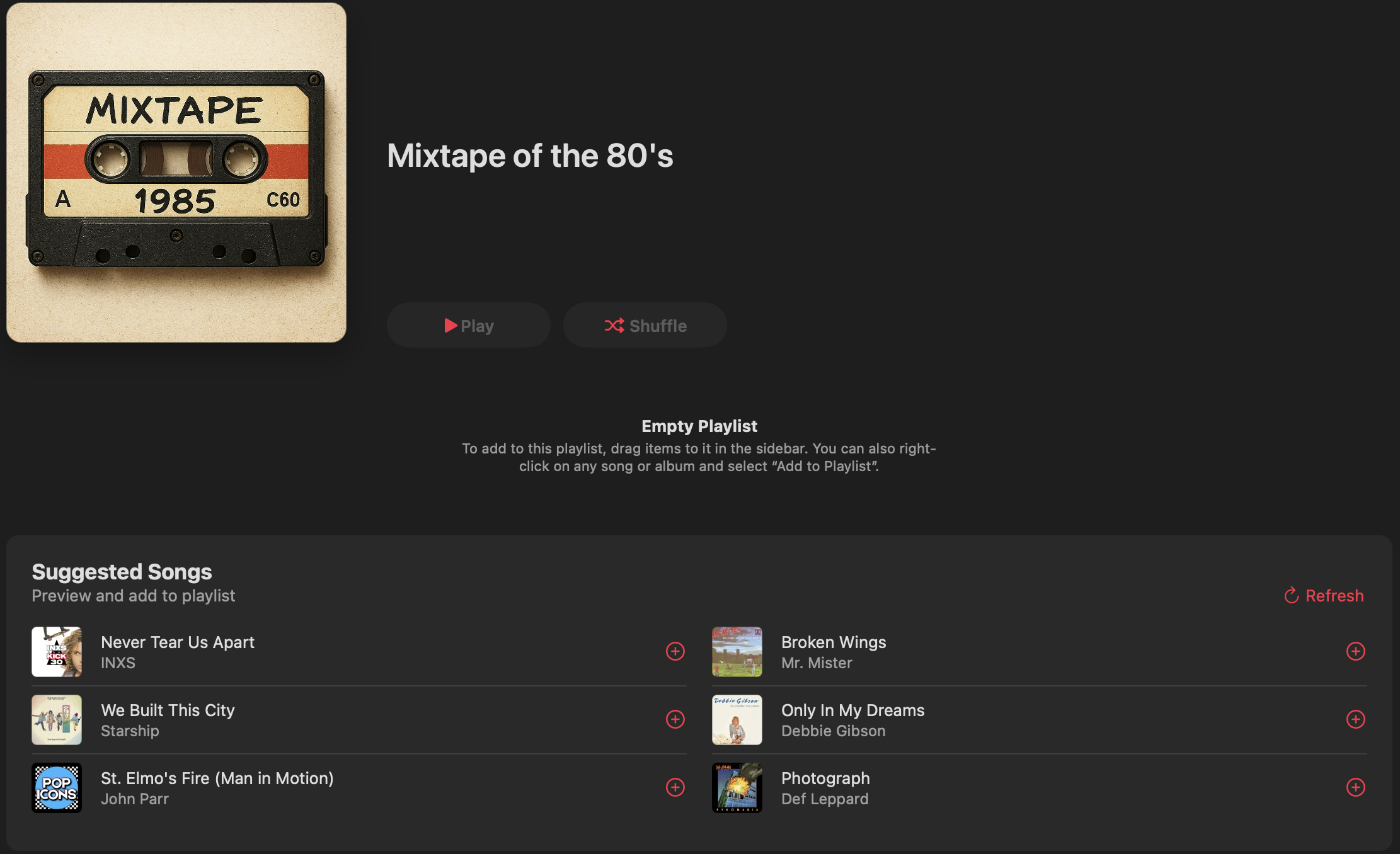
Almost every playlist I had created over the years was essentially wiped out.
Not only did migrating my Music to a new drive mess up my playlists, but music on my phone and iPad also started having problems because the libraries were out of sync. I was able to fix the sync issue by forcing my Mac to resync by opening the Music app and clicking on File > Library > Update Cloud Library.3
About the same time I ran into these problems, I saw a new video by Stephen Robles on iOS Shortcuts with ChatGPT. In his video he described how the iOS ChatGPT app could connect to other apps - in my case Apple Music. So now I looked at using ChatGPT to recreate my playlists.
Initial efforts with ChatGPT
After adding Apple Music as an app that ChatGPT can interact with, I tried to recreate a complete playlist with what I thought was enough information to recreate my top hits of the 80's. I prompted ChatGPT with the following:
Create a playlist of the top 10 songs for each year from 1982 to 1989 according to the American Top 40 charts.
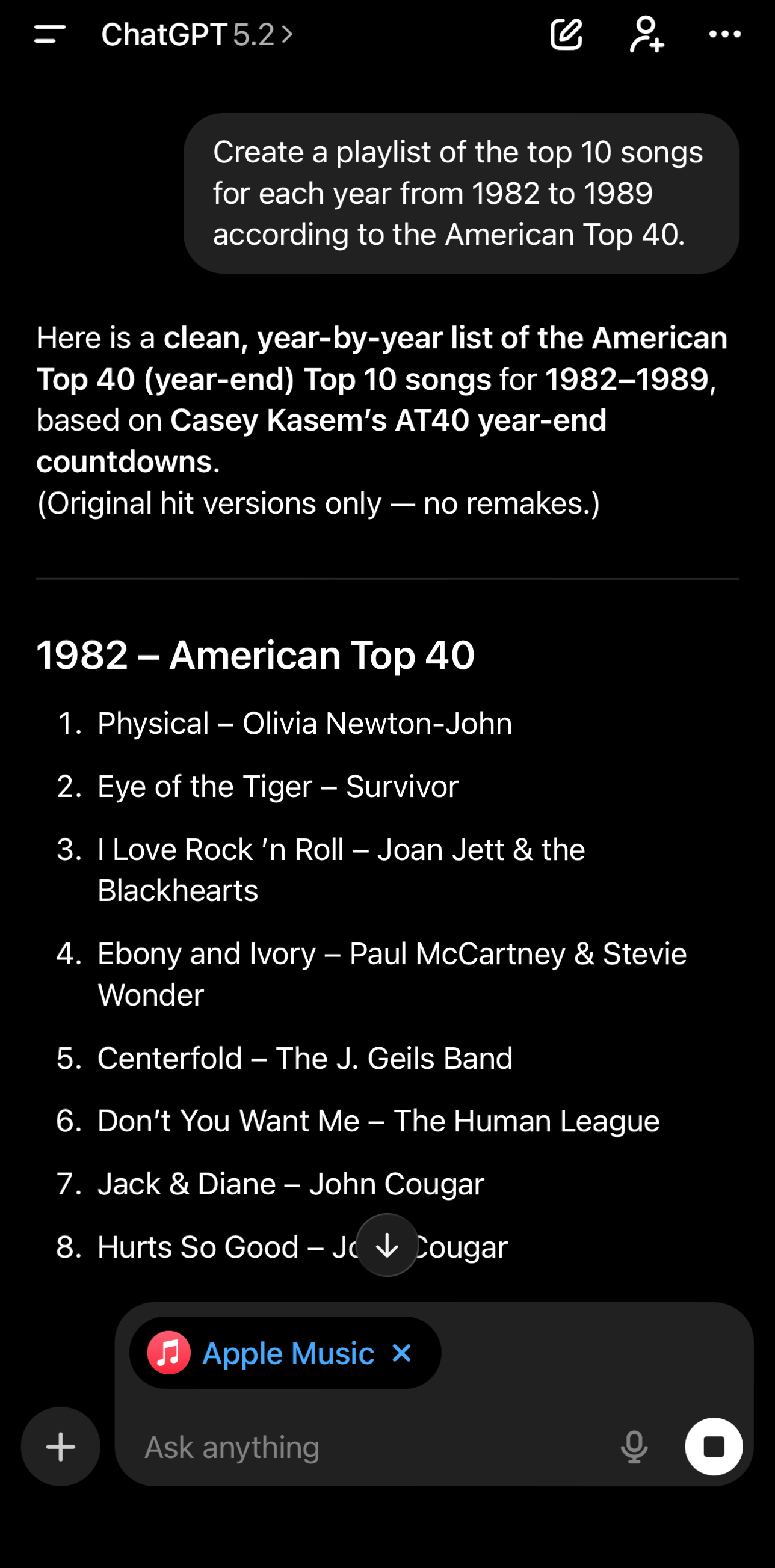
This basically gave me a list of the top 10 songs for each year. After playing around with the prompt question details I found a more explicit prompt:
Create a playlist card I can add to Apple Music of the top 10 songs for each year between 1982 to 1989 according to the American Top 40 charts as presented by Casey Kasem. Before finalizing the playlist, please verify that the selected songs are not remakes. Label the playlist “The Golden Age of Music”.
This prompt is more specific and included some key points needed to create a playlist that I can click to add to my Music playlist library. I got a playlist that I could click and add to my Music playlist library.
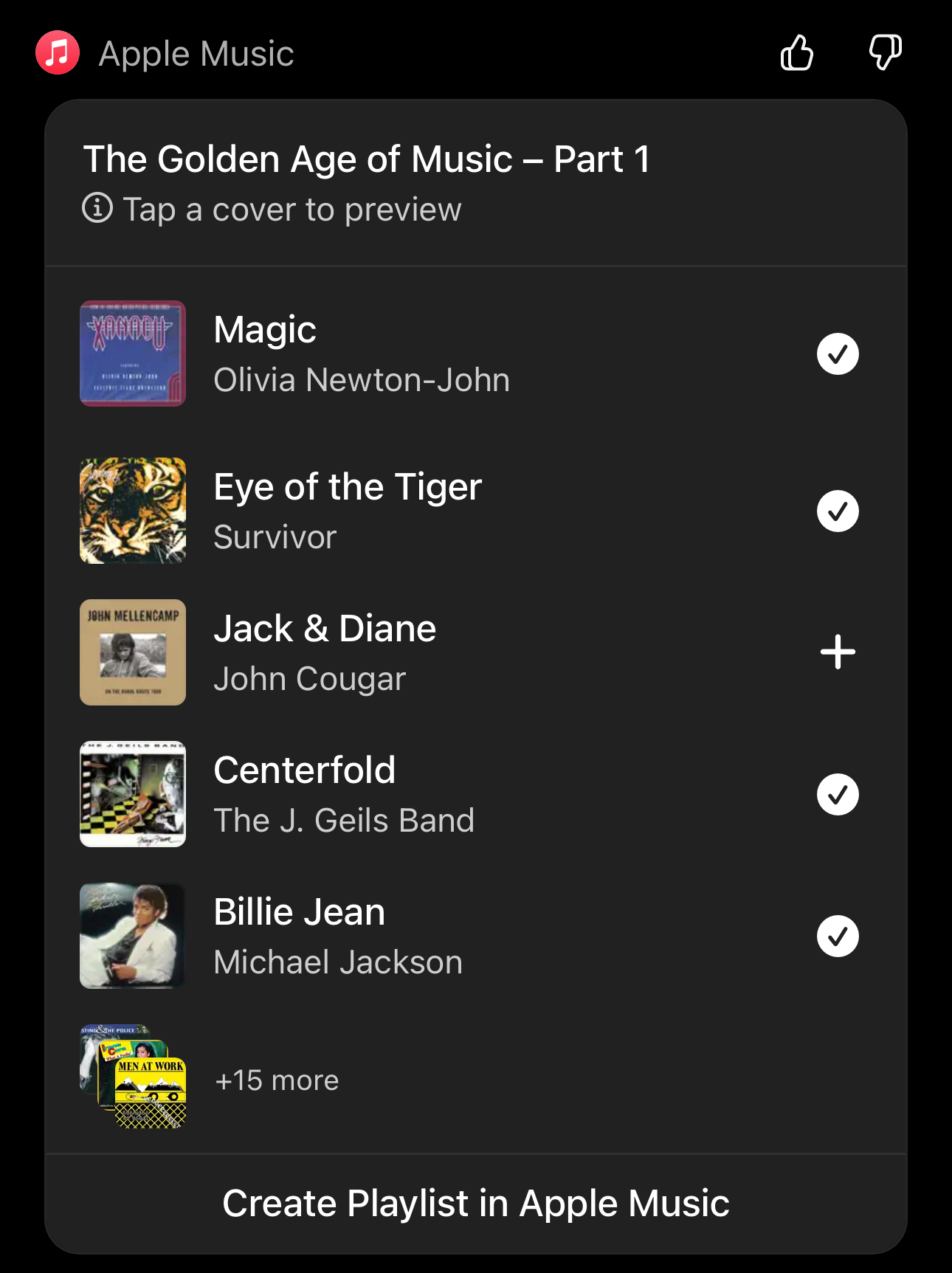
I also got some notes about the playlist card that was created further down:
Apple Music limits playlist card creation to batches of \~25 tracks at a time. This card contains the first portion of the Top 40, using verified chart versions. I can immediately generate the remaining tracks to complete the full Top 40 list if you'd like.
While the 25 track limit was an annoyance, ChatGPT gave an option to continue building the remaining tracks into the playlist. I prompted ChatGPT to continue building the playlist. ChatGPT produced a new playlist card I could click, but it was showing as "Added To Your Library".
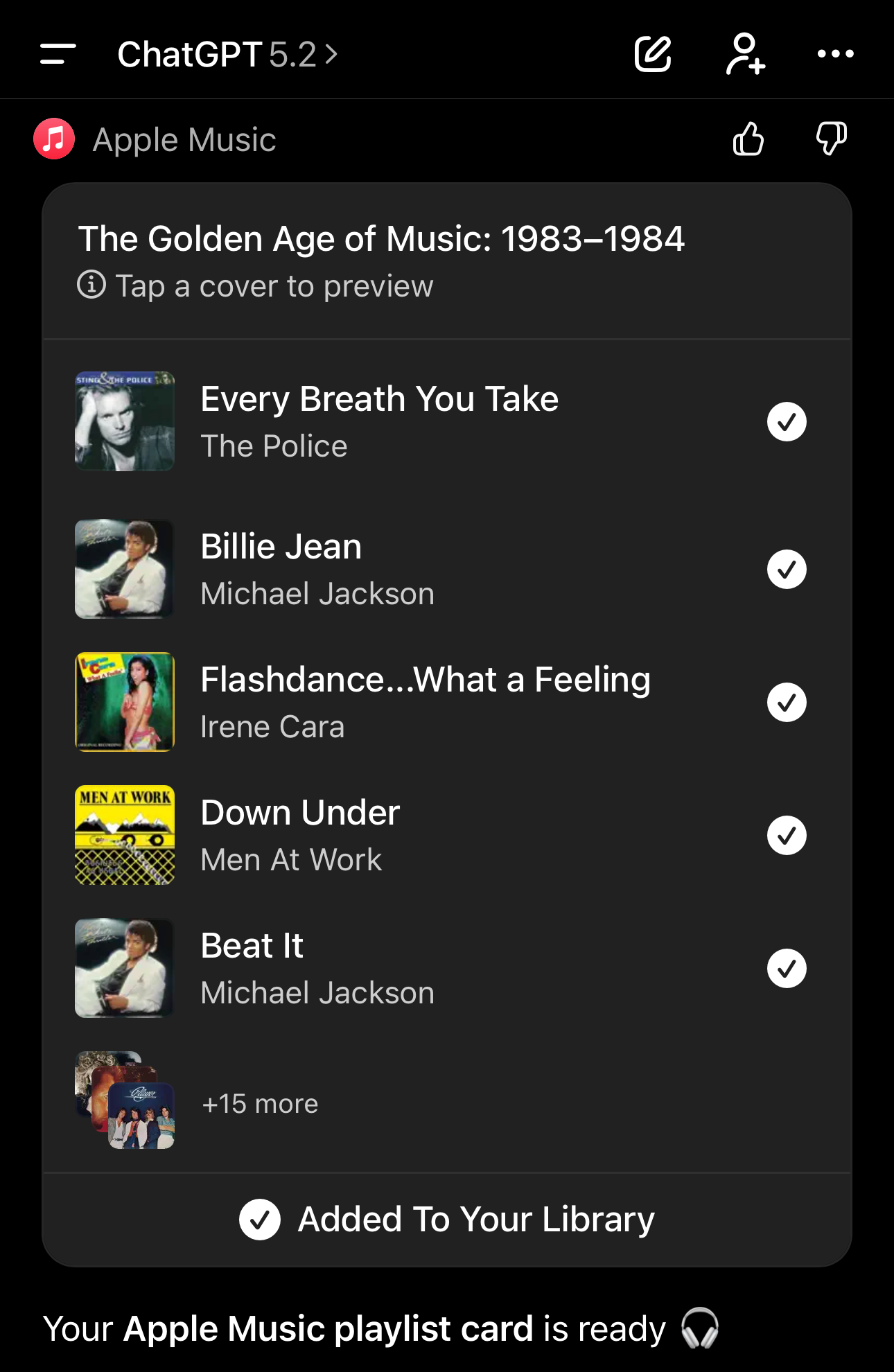
I asked ChatGPT why the new playlist card was already marked as "Added To Your Library" and got the following details:
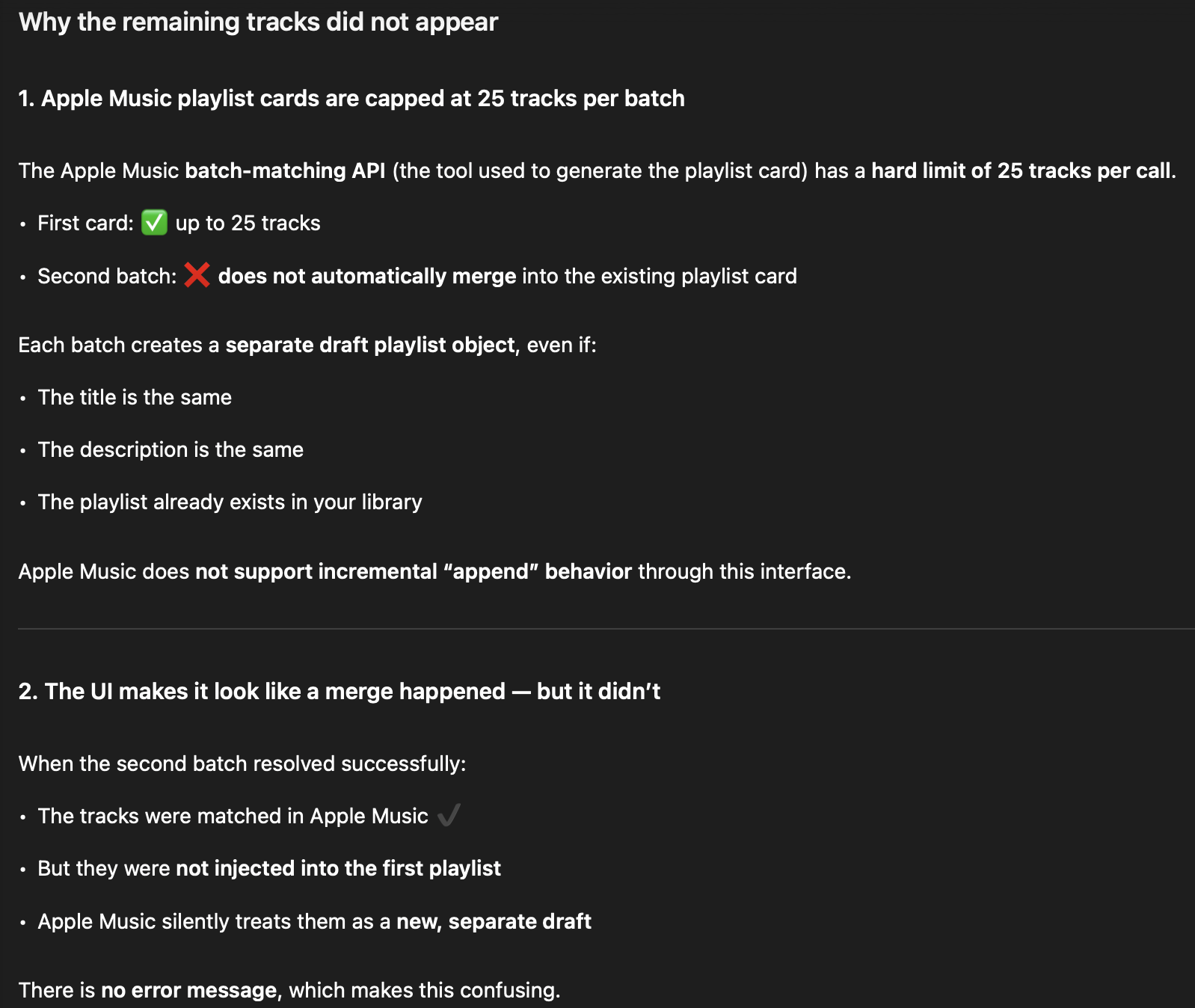
Now I found another limitation of creating playlists.
So in the same session I prompted ChatGPT to create a 20 song playlist for 1983 and 1984, so I could manually append a playlist into the original playlist previously added to my library that did work.
The subsequent playlist also got flagged as "Added To Your Library" automatically. I prompted ChatGPT to recreate the playlist again with a different name and again got a playlist card that was already flagged as "Added To Your Library".
I found out there is a "bug" when creating multiple playlists in a single chat session. Apple Music can at times "believe" the playlist has been added, even though it hadn't. After some back and forth a bit with my chatbot buddy on why the subsequent playlists were being marked as "Added to Library". I got the following answer:
The "Added to Library" badge can be stale UI state inside ChatGPT - I can see a tool-side flag like
isPlaylistInLibrary: truecoming back from Apple Music. If that flag is being cached or not properly refreshed between cards, the widget can show Added to Library even when the library doesn't actually contain a new playlist created from that card.
So after about 2 days of testing, I found 3 key limitations:
- A playlist created by ChatGPT and Apple Music is limited to 25 songs.
- ChatGPT's integration into Apple Music does not allow adding/appending to an existing playlist
- Attempting to split a long playlist in the same session can cause an error that makes Apple Music believe the playlist has already been added.
Now I needed to see if I could find a work around to these limitations.
Work around strategies
The first workaround I came up with addressed the playlist limits. In my case I eventually wanted an 80 song playlist,2, so I started a new session and asked for the following playlist.
Create a playlist card that I can add to Apple Music of the top 10 songs for years 1983 and 1984 according to the American Top 40 charts as presented by Casey Kasem. Before finalizing the playlist, please verify that the selected songs are not remakes. Label the playlist "1983/84 Hits".
The goal was to create a playlist for every 2 years and run 4 more requests to get 5 playlists that spanned 1982 to 1989. The request should create a playlist of 20 songs that I can click to "Create Playlist in Apple Music" as expected. Then I would manually merge the playlists together into a single playlist. I ran the prompted request and got the following:
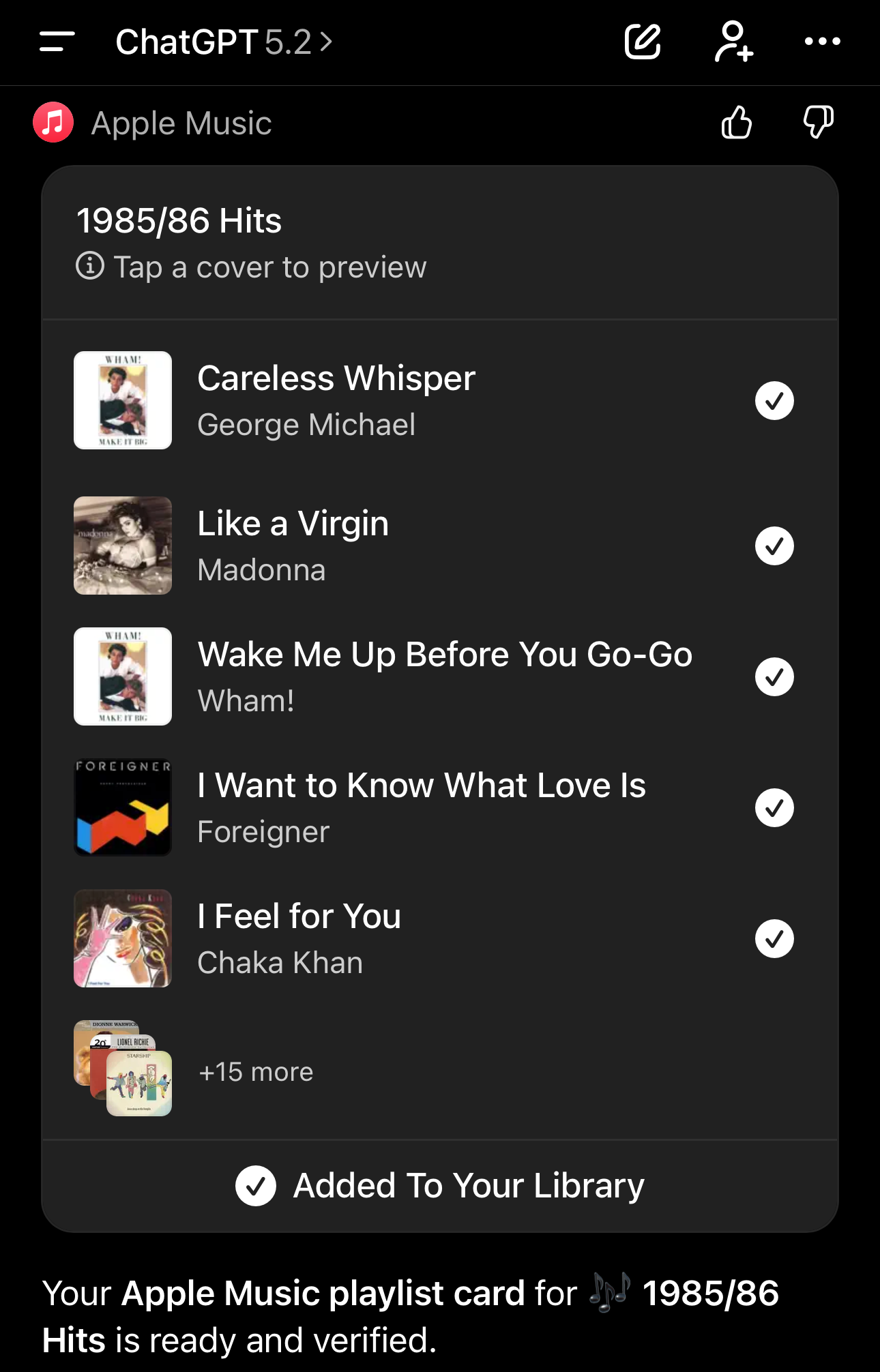
Whelp... guess I found another bug related to creating multiple playlists in the same session. The playlist was again already marked as "Added to Library". I did some research and asked ChatGPT about the problem.
This playlist is already marked as "Added To Your Library". I never got a chance to click to add the playlist to my music library. Why?
I basically got the same response as before.
Apple Music playlist cards are session-based, not persistent objects. Once Apple Music believes you've already added that exact playlist card instance, the UI disables the "Add" action.
I asked ChatGPT what other things it couldn't do if I asked to regenerate a playlist card in the same session.
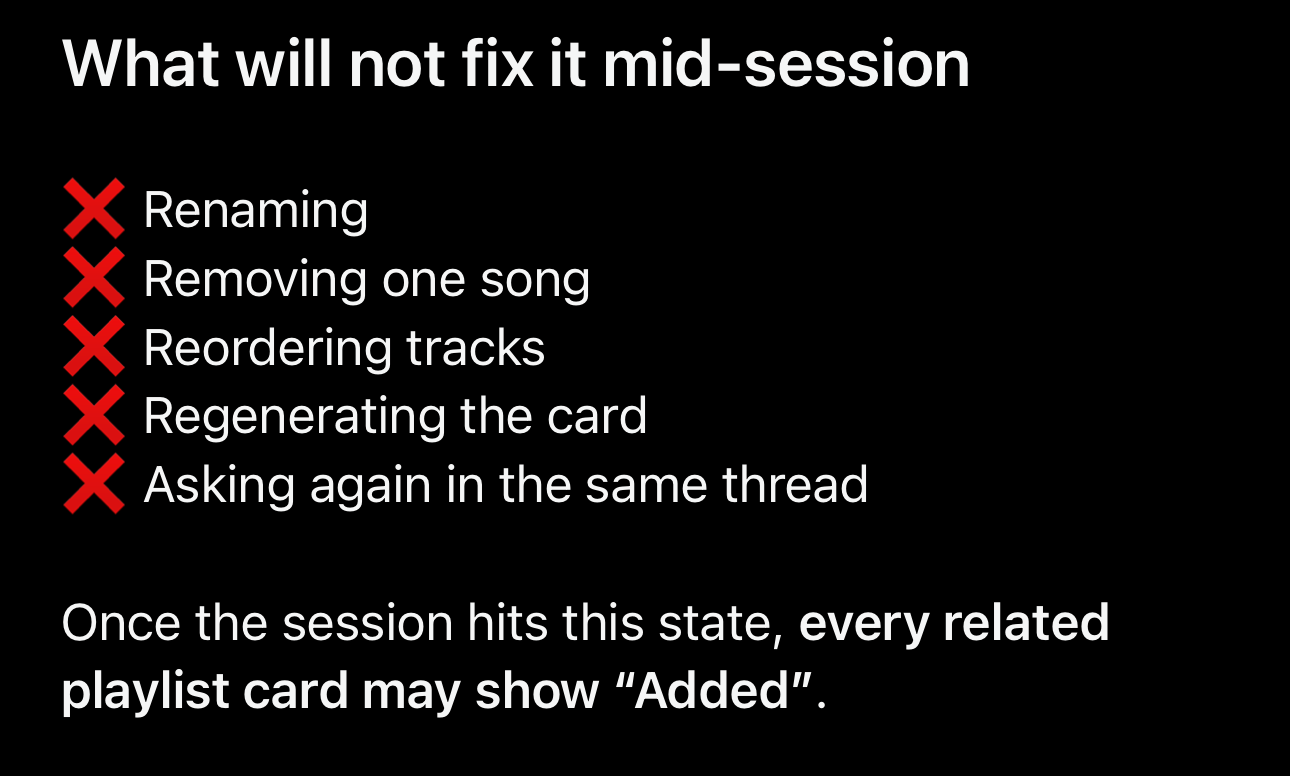
Time for a different approach.
Final work around method
With all the bugs and limitations I'd seen over my testing, it looked like I could either 1) do a more manual method to create the overall playlist or 2) look at a Shortcut to use a text based list that ChatGPT had previously suggested. I decided to try the Shortcut method that as suggested by ChatGPT since that could be used in the future for larger playlists I knew I wanted to create.
ChatGPT cannot create a Shortcut directly. What you will get a is checklist of the steps/actions to add to a Shortcut and suggestion options to apply to more complex steps. I followed the checklist prompts and got the following Shortcut:
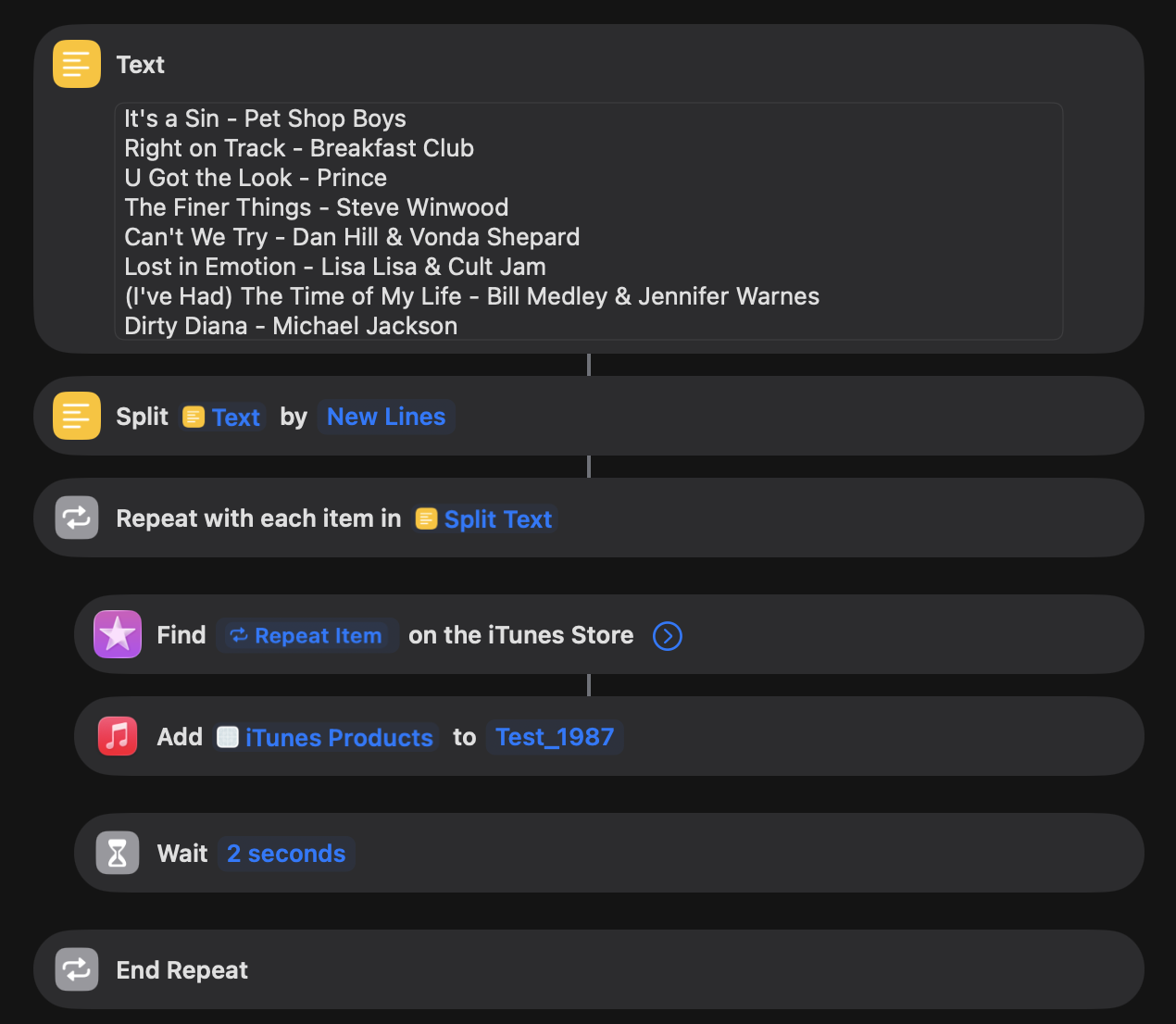
However when I ran the Shortcut, I got the following error:
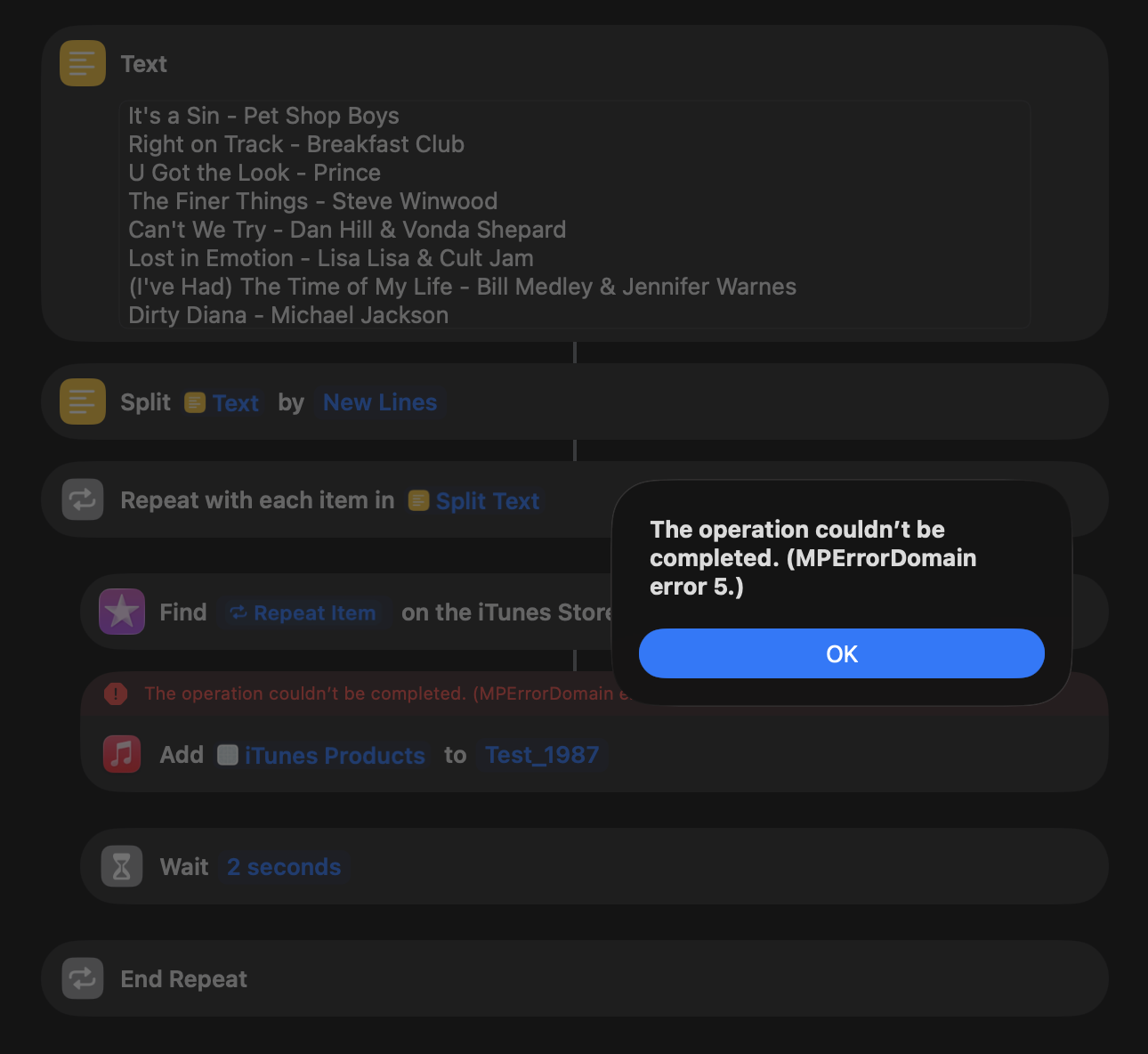
I altered the Shortcut a couple of times, but still ended up getting some variation of the MPErrorDomain error.
I read a number of posts on the r/shortcuts threads. Eventually it became apparent that there is another bug, this time related to Shortcuts creating/updating Apple Music playlists.
The final solution came down to prompting for a playlist for the first two years in a new ChatGPT session. The first playlist request created the base playlist:
Create a playlist card I can add to Apple Music of the top 10 songs for 1982 and 1983 according to the American Top 40 charts as presented by Casey Kasem. Before finalizing the playlist, please verify that the selected songs are not remakes. Label the playlist "The Golden Age of Music".
This created a playlist card that I could add to Apple Music.4
Then I opened a second new session to ensure the isPlaylistInLibrary: true flag was reset. I used the previous prompt text as template to create a playlist for the years 1984 and 1985.
Create a playlist card I can add to Apple Music for the top 10 songs according to the American Top 40 charts for the years 1984 and 1985 as presented by Casey Kasem. Before finalizing the playlist, please verify that the selected songs are not remakes. Label the playlist "Song List - 84/85".
Then I repeated the process of opening a new session and creating playlist cards for 1986/87 and 1988/89. After the 4 playlists were created, I could add the subsequent playlists back to the original "The Golden Age of Music" playlist.
TLDR: I got the results I wanted, but not the elegance I had hoped for.