
I've always looked for different ways to do the mundane. Most of the mundane stuff I need to do for work is tied up in an Excel spreadsheet I created many moons ago. I've started a new job and some of the mundane stuff has come back to the front burner. I started looking at different ways to use some of the common utility calculations I have buried away in various spreadsheets.
The simplest tool I could come up with was to use Shortcuts to do the calculations. Out of the box, Shortcuts doesn't look like it wants to do any heavy lifting math. By default, the Calculate action only processes a single math function.
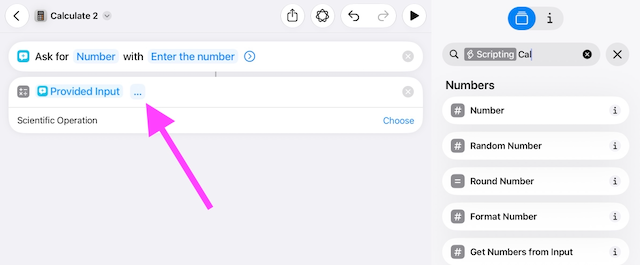
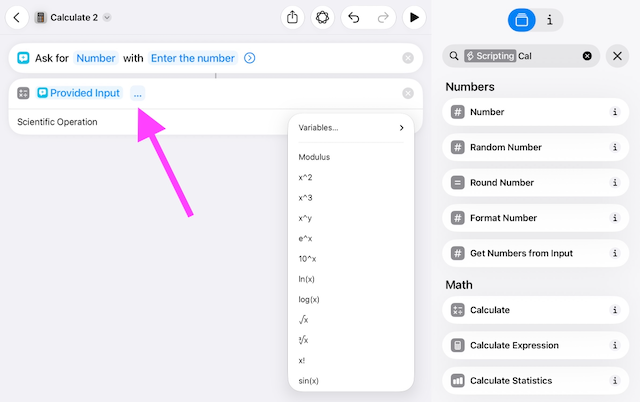
Clicking the ellipses you will get a list of other functions you can select to use in the Shortcut action.
After doing a little experimenting, I realized that Shortcuts1 does not make doing engineering calculations easy because each calculation step requires its own individual action. For example, to solve for \(y\) by having the Shortcut ask for a number and then pass it though a simple equation like this:
What seems like a simple math problem requires multiple passes in a Shortcut:
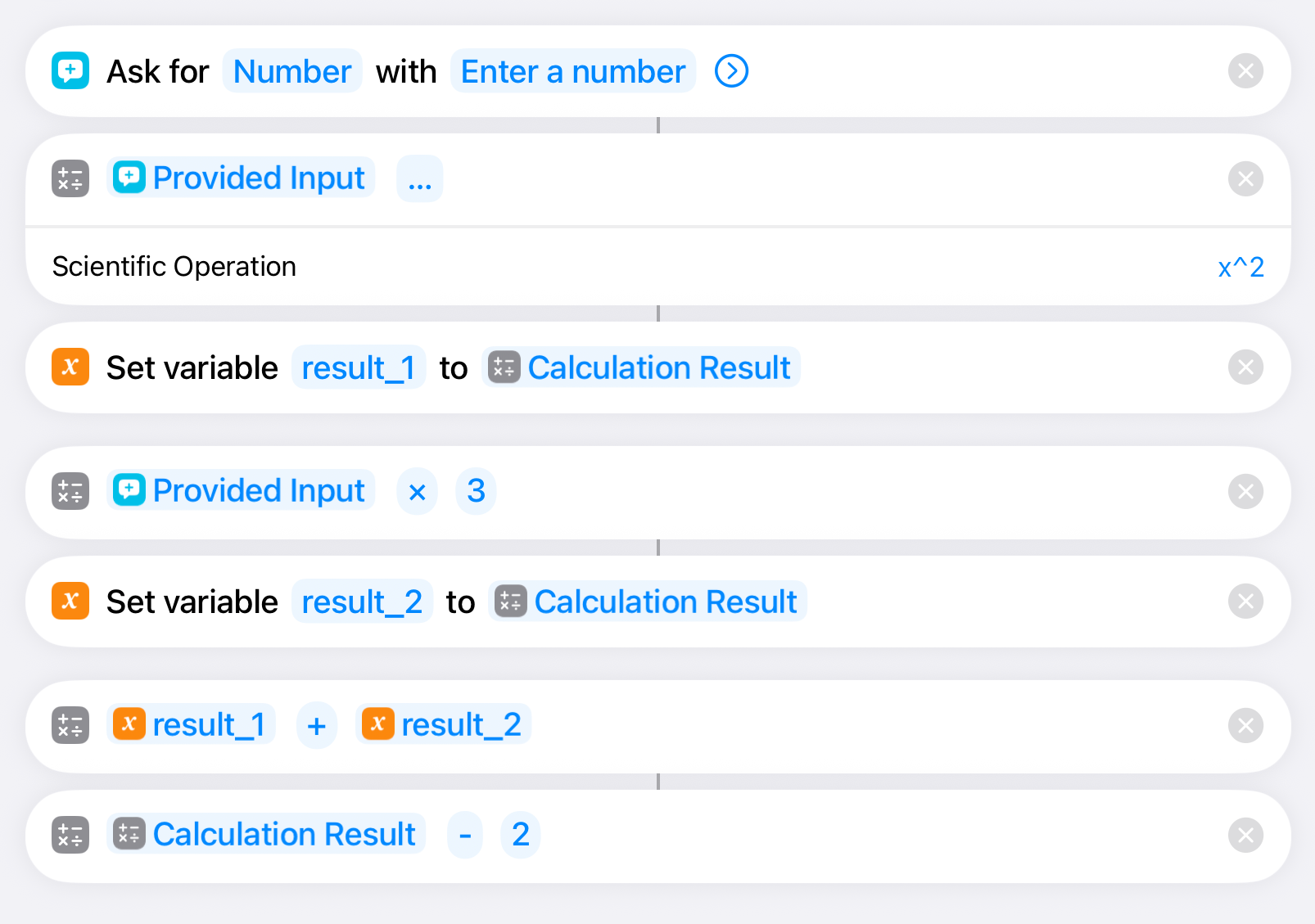
Since each calculation step requires its own action in Shortcuts, the breakdown of a complex formula can be tedious. The tricky part I started running into was migrating complex spreadsheet formulas into a Shortcut.
For example:
=1.8(1810.94/(8.14019-LOG10(51.7149B4))-244.485)+32
Finding a method to break down an Excel formula to make entering the multi-step Shortcut actions was the next step.
Reverse engineering in ChatGPT
I'm a visual person and I started to look for ways to get an Excel formula into a more formulaic format. I happened to be working on a different problem and accidentally found my solution. While working in ChatGPT, the agent response gave me both an Excel formula and a MathJax representation. Bingo!
So I asked ChatGPT:
Convert the following Excel formula into MathJax:
=1.8(1810.94/(8.14019-LOG10(51.7149B4))-244.485)+32
ChatGPT then returned:
This view of the overall formula is easier to visually break down each calculation step to a single Shortcut action. Breaking down the formula into a Shortcut worked out to this:
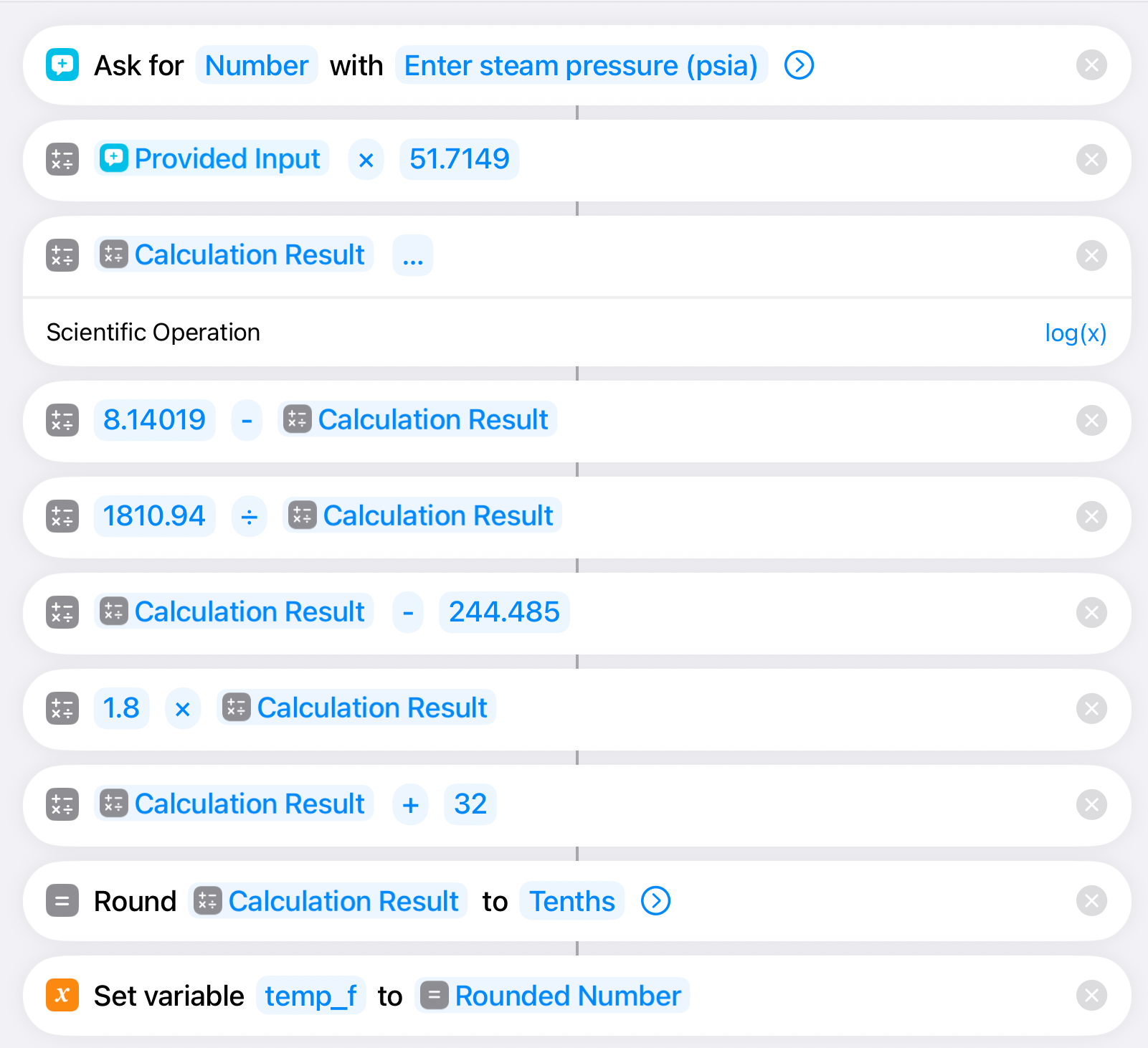
The output for this Shortcut is to give process engineers a quick check on the temperature for saturated steam, based on the pressure of the available steam supply. This is used frequently when completing heat/mass balances in food plants.
Now I can take more complex formulas from Excel and get a visual view of the formula for simpler conversion to a Shortcut.
Shortcut Link: Determine Steam Temperature
-
Regardless if it's iOS or macOS. ↩